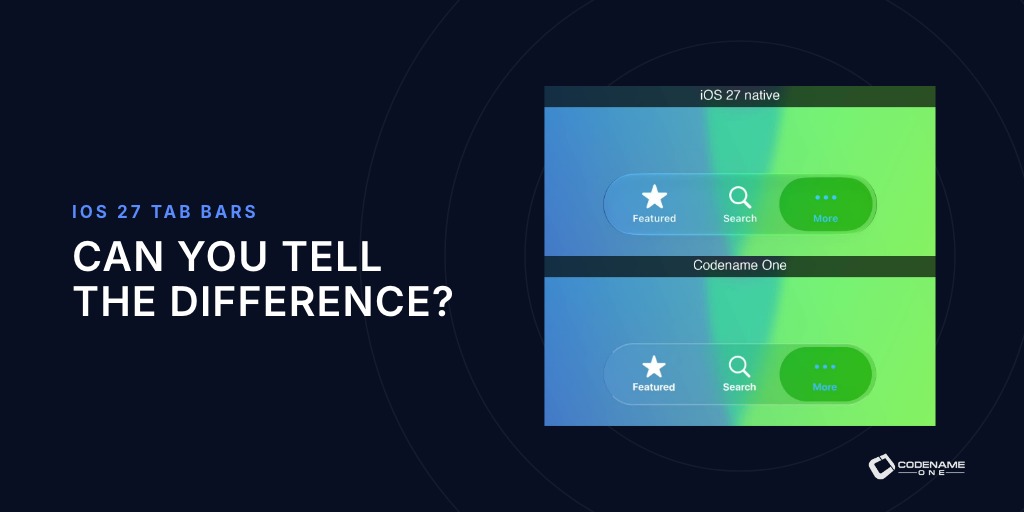
Watch how the two tab bars respond to the recorded taps, holds, drags and changes of direction. Can you tell which one is UIKit and which one is drawn by Codename One?
That is a more useful test than a still image. Your users feel the delay before a selection moves, the way the glass follows a finger and the settling motion after release. A tab bar can have the right colors and still feel wrong in your hand.
Last week’s iOS 27 theme was close, but I still wasn’t happy with those interactions. Getting closer meant recording UIKit’s presentation layers during real touches, fitting the motion to spring equations and reconstructing the glass effects. Here is the result, followed by the measurements and formulas behind it.
Watch the same gestures twice
UIKit is on top and Codename One below. These committed iOS 27 simulator recordings use the same touch sequence: six taps, a held press, a tap on the selected tab, a slow drag and a flick. Each gesture occupies a 4.2-second slot aligned on the touch.
The dark appearance exposes the edge, vibrancy and refraction differences more clearly. UIKit is above Codename One in both simulator recordings.
The recording script and video notes make the provenance inspectable. The remaining differences are part of the comparison: the lifted lens, its rounded ends and the saturation still deserve work.
Why your tab bar can look right and feel wrong
Setting the selected tab in code did not produce the complete native interaction. UIKit performs that motion for genuine touches on a controller-managed bar. The probe therefore uses XCUITest taps, holds, and drags.
There was another complication: UIKit did not attach a simple CAAnimation containing the whole trajectory. It updated layer values frame by frame. The useful record was the presentation geometry at each display refresh: position, bounds, transform, opacity and the touch timestamps that explained them.
Capturing an image on every frame changes the timing enough to contaminate the measurement. The probe separates geometry logging from optional frame snapshots. Snapshot runs are useful for comparing the lens at the same motion state, not for fitting its timing. Likewise, lossless screenshots over known backdrops reveal the blur; compressed video smears the very edges we need to inspect.
Those constraints are documented in the native probe. They explain why “looks close in a recording” was not enough.
Make taps, holds and drags respond differently
For a fixed target, a damped spring follows this equation:

Here x is position, xₜ is the target, ω controls the natural frequency and ζ the damping. Dots denote derivatives with respect to time. A critically damped spring has zeta = 1; lower damping allows an overshoot. The implementation uses the measured constants rather than retuning the entire animation by eye:
| Channel | Model in the current source |
|---|---|
| Selection travel | omega = 2*pi/0.4, zeta = 0.85 |
| Lens lift | Critical damping, omega = 2*pi/0.25 |
| Platter return | Critical damping, omega = 2*pi/0.4 |
| Whole-bar press growth | omega = 17.6, zeta = 0.59 |
| Lens following a drag | omega = 32, zeta = 0.90 |
The travel stops once the remaining distance after the overshoot is below about 0.195 points. The drag and press models include a measured 20 ms touch lag. These small details are visible because your finger gives the animation a moving reference point.
The current TabGlassMotion and TabGlassGesture contain the formulas, retained tables and stopping rules. The regeneration tool checks the closed forms against captures and rewrites the channels that remain tabulated.
Let users drag across tabs without selecting each one
During a drag the lens follows the finger on its own spring, so it can lag behind. On release, UIKit selects the tab under the finger, not the one nearest the lagging lens. The lens then settles toward that tab from its current position and velocity.
Resetting velocity at that handoff creates a visible interruption. Snapping to the nearest lens position after a fast flick creates another discontinuity. A press on the already selected tab must also lift and pulse without inventing travel to another tab. A held press has to keep its lifted state until release rather than play a fixed-duration tap and finish underneath your finger.
The release adds a small wobble. Our model uses a common starting point for it even though the captures show slightly different onset times across gesture types. That approximation is one reason to keep the full gesture suite alongside the short demo.
Keep icons legible as the backdrop changes
A vibrant tab icon is not simply painted with an alpha color. Its result depends on the glass behind it. The probe reads UIKit’s color matrices across tint sweeps, and VibrancyMatrix reconstructs the transform.
For a non-gray dark tint vector t, the measured form is:
e = 0.5 * min(t) / max(t)
M = e*I + (0.5 - e) * (ones * transpose(t)) / dot(t,t)
offset = t
output = M * backdrop + offset
I is the identity matrix and ones is a column of three ones. Gray tints have their own formula, so this expression is not a universal branch to paste over the implementation. Light appearance uses a different form. The vibrancy source and recorded fixture hold those cases together.
The selection platter also transforms the bar’s existing glass. Graphics.colorMatrixRegion applies that operation within a shape and optional mask. The lifted lens needs a separate operation: refraction around a circular bevel, color dispersion, an outline, rim light and shadow. glassLensRegion supplies that rendering path.
This is why adjusting the opacity of a rounded rectangle could only take us so far. The effect changes the content underneath it.
Keep the glass animation on the GPU
A more accurate motion model is wasted if the renderer misses the frames that distinguish it. The iOS bar glass now runs on the GPU instead of passing through a CPU blur with GPU synchronization around it. Mutable images reuse their stencil texture. The tab animation avoids asking for a second whole-component repaint, and the lens scratch texture is released after use.
The portable color-matrix operation reaches the JavaScript port too. The browser lens still lacks the full optics implementation. A shared API does not mean every rendering backend implements every effect today.
Choose the appearance, then test your screen
In the Settings app’s Build Hints, select:
ios.themeMode=modern
ios.themeGeneration=27
For the cloud toolchain, ios.xcode_version=27 is a separate setting. In codenameone_settings.properties, prefix build-hint keys with codename1.arg.. A local Xcode build uses the Xcode installation selected on your Mac.
Codename One draws these controls itself. The theme and its motion ship with the app, so adopting this appearance remains your decision. That control also gives us the responsibility to measure the behavior we reproduce.
Try the animation over a photograph, a scrolling list and a plain dark background. Hold it. Drag past the middle and release. The implementation in PR #5906 and the fixtures behind it make those interactions repeatable instead of leaving fidelity to memory.
Discussion
Which gesture exposes an animation that looked right in a screenshot?